 Arkpine Software
Browser extensions and Google Workspace™ apps
Do more in your browser.
Upload nothing.
A real dark mode for Google Docs™, an e-book reader, viewers for files Google Drive™ cannot open, and add-ons for Google Forms™ and Google Sheets™. Each tool does one job well, works on your own computer or in your own Google account, and is free to start.
See all tools Try True Dark Mode, free
- Chrome™
- Edge
- Firefox
- Google Drive™
- Google Forms™
- Google Sheets™
- Your files stay with you Books, emails and models open in your browser. Nothing goes to a server of ours.
- No ads, no tracking No ads in any tool, and we never sell or share personal data.
- Free to start Every tool has a free version. Upgrades are clearly priced, most of them one-time.
- Real answers Write to support@arkpine.com and the people who build the tools reply.
The tools
Install from the official stores. Every one of them can be tried for free.
Browser extensions for Chrome™, Edge and Firefox
-
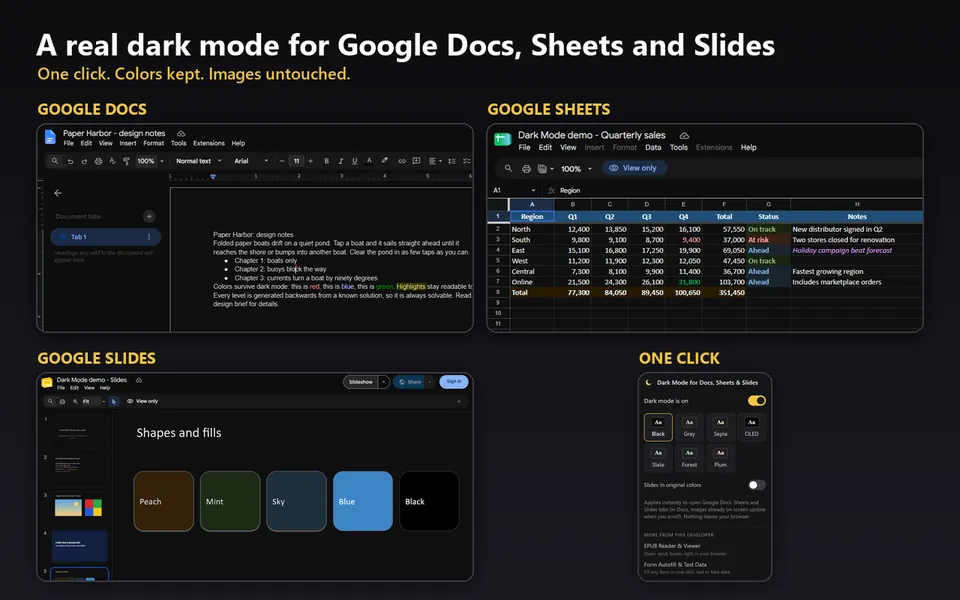

True Dark Mode
Most popular
A real dark mode for Google Docs™, Google Sheets™, Google Slides™ and Google Forms™. Menus, pages and grids go dark, and images keep their true colors.
Free
-
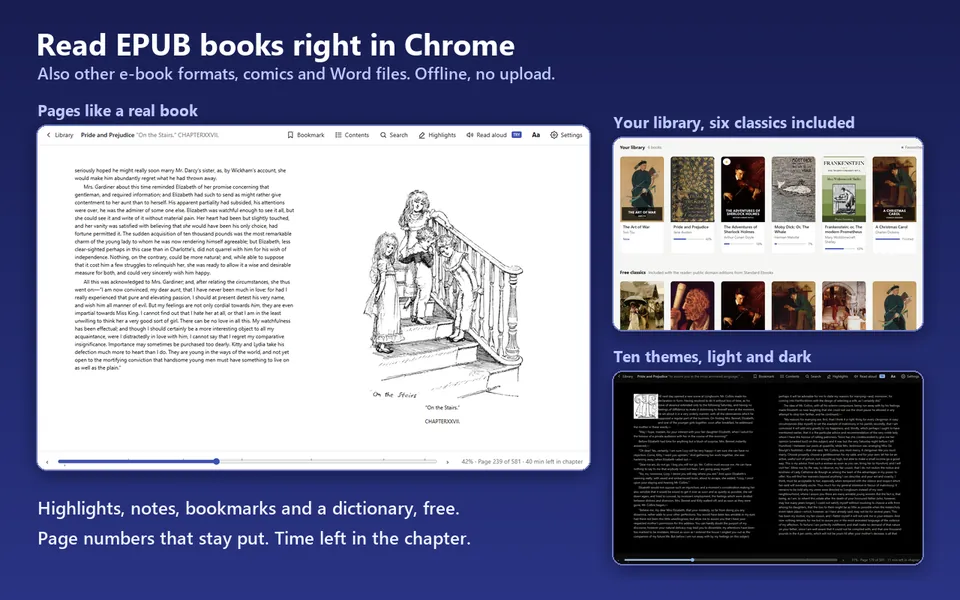

EPUB Reader
Also opens books from Google Drive™
Read EPUB, MOBI and AZW3 books with highlights, notes, bookmarks and a dictionary. Six classics included. Offline, nothing is uploaded.
Free Pro $6.99 one-time
-
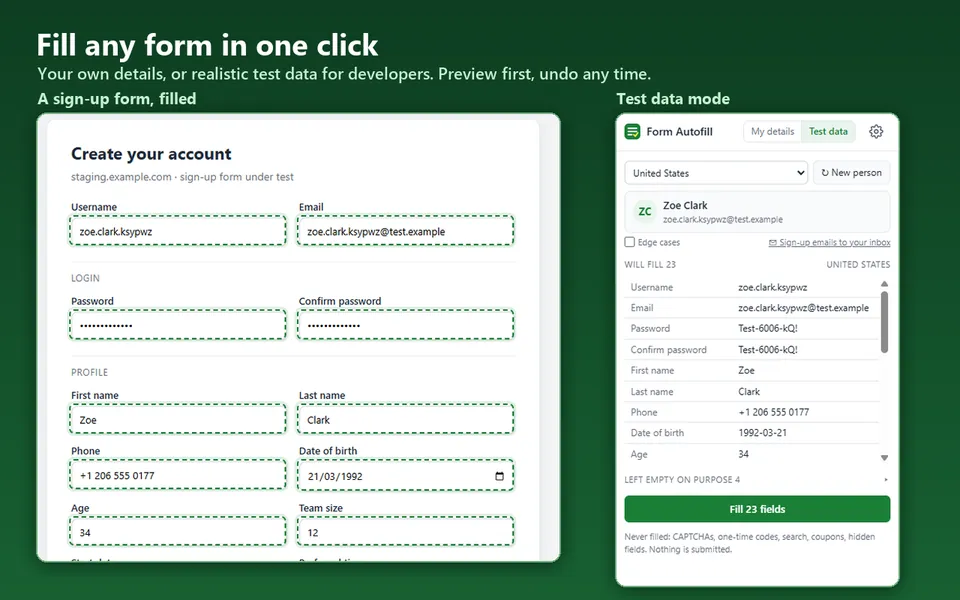

Form Autofill
For everyone who fills forms, and developers who test them
Fill a form in one click with your saved details, or with realistic fake test data from 16 countries. You see a preview first, and it never submits anything.
Free Pro $9.99 one-time
Google Workspace™ apps coming to the Google Workspace™ Marketplace
-
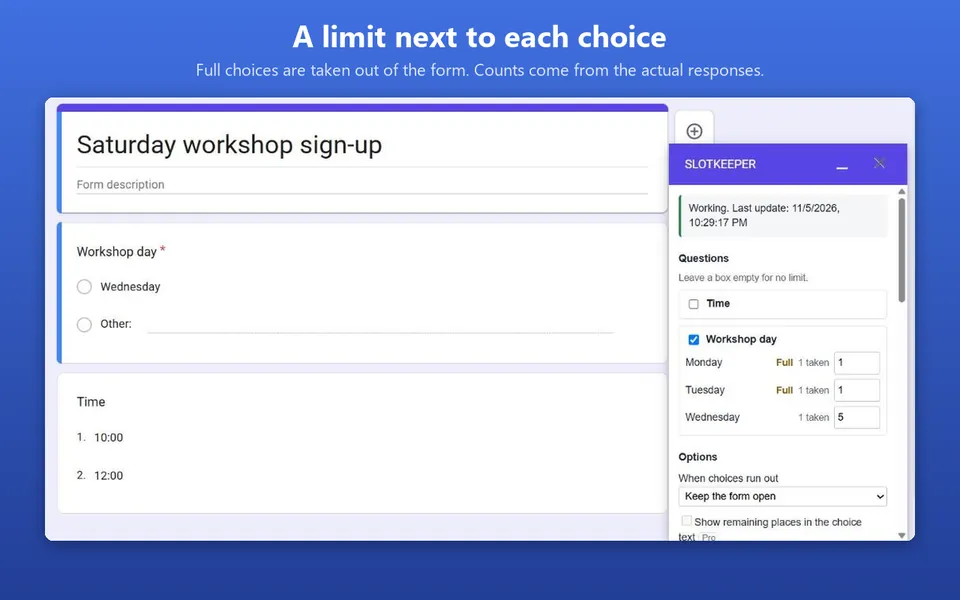

SlotKeeper
Add-on for Google Forms™
Set a limit next to each choice: time slots, seats, shifts. A choice leaves the form as soon as it is full, and you hear about any overbooking.
Free for one limited question. Pro $29.99 a year or $79 lifetime
Learn moreIn review
-
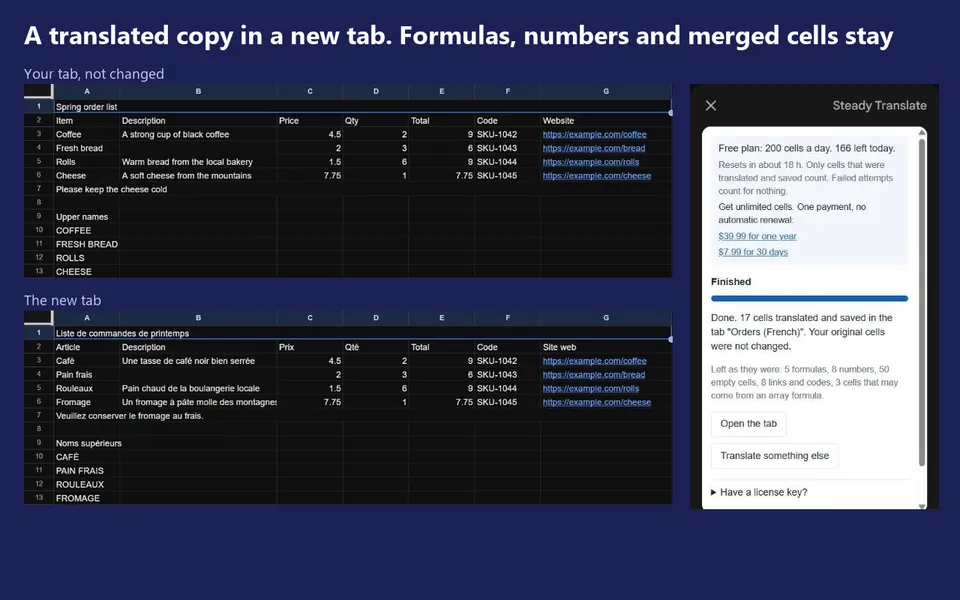

Steady Translate
Add-on for Google Sheets™
Translate a selection, a tab or a whole spreadsheet into a new tab. Formulas, numbers and merged cells stay as they are, and a stopped run resumes where it ended.
Free 200 cells a day. Unlimited $7.99 for 30 days or $39.99 a year
Learn moreIn review
-


STL & OBJ Viewer
3D print models, from Google Drive™ or your computer
Open a model and turn it around, with its size and triangle count. Works in the browser, nothing is uploaded.
Free
Open the viewerGoogle Drive™ app in review
-
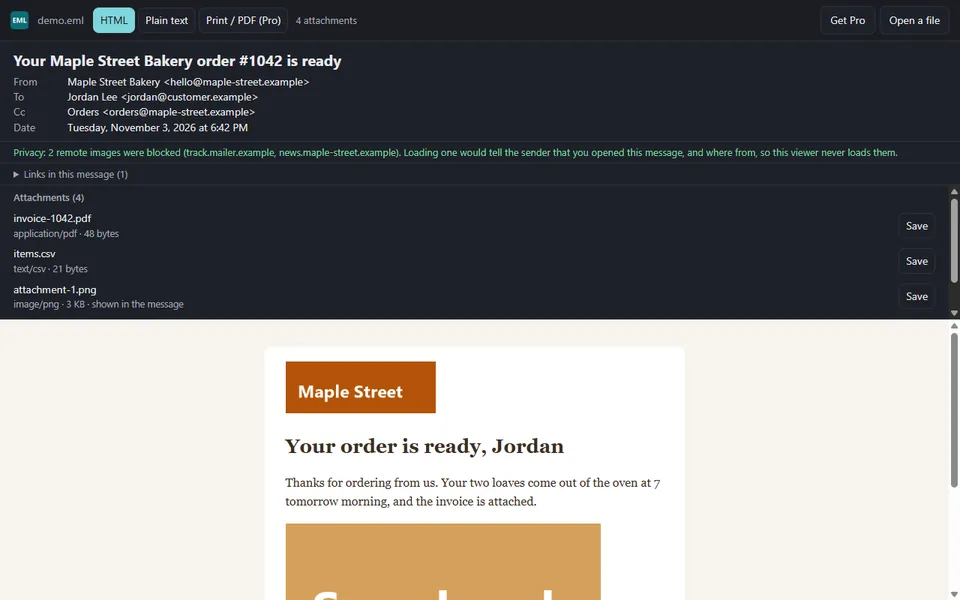

EML & MSG Viewer
Saved emails, no Outlook needed
Read .eml and Outlook .msg files and save their attachments. Remote images stay blocked, so the sender never learns you opened it.
Free to read. Pro $14.99 one-time: print or save as PDF
Open the viewerGoogle Drive™ app in review
How we build
Private by design
The tools work in your browser or inside your own Google account. They ask only for the access they need, and the Google Drive™ apps can read only the files you open with them.
Honest pricing
The free part of each tool is useful on its own. Prices are shown before you pay, and payments are handled by Lemon Squeezy, our reseller.
Built to keep working
No account to create and no server of ours your work depends on. If something breaks, tell us and we fix it.
Questions, ideas, a refund?
Write to us. Help with a product, a license key or a refund: support@arkpine.com. Anything else: hello@arkpine.com.